Getting Started with Rogue Eclipse
From Steam page to your first clean demo sortie.
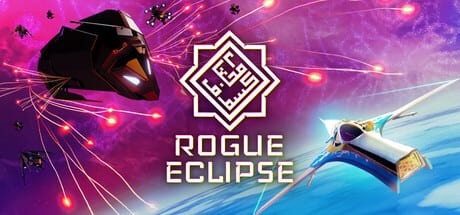
Rogue Eclipse asks you to learn an arcade flight feel, then prove it under swarm fire. This Getting Started guide is the day-one path: understand what the game is, install the free demo safely, finish the tutorial with intent, and leave your first run with upgrades instead of confusion. The full game launches on PC on August 7, 2026. Until then, the Steam demo is the best teacher.
What you are about to play
Rogue Eclipse is a single-player spaceflight action roguelike by HUSKRAFTS, published with Outersloth. Expect Star Fox pace with Armored Core-style investment in a machine you customise across runs. Battles push you through fighter swarms, armadas, and interiors of colossal behemoths where environments can be destroyed. Failure is expected. Each death should clarify steering habits, weapon priorities, and when to boost away.
If you want a broader pitch before installing, skim what is Rogue Eclipse and the release date page. If your PC is older, verify system requirements first.
Step 1 — Wishlist and install the demo
Open the official Steam store page for Rogue Eclipse and wishlist the full game so launch news reaches you. Separately install the Rogue Eclipse Demo. The demo includes a tutorial, a playable run against a Phiraun Armada sector slice, multiple input options, multiple difficulties, unlocks with customisation, light story beats, and full voice acting. That is enough content to judge the flight model honestly.
Keep demo vs full game bookmarked so you know which systems are sampling the campaign rather than representing every late unlock.
Step 2 — Choose input before ego
Do not wait until a boss corridor to decide between mouse and pad. Read keyboard and mouse controls or gamepad controls and commit for your first three runs. Arcade space games punish mid-fight rebinding. Practise boost taps, camera settle, and firing while turning in the tutorial arena before you chase score.
Step 3 — Tutorial goals that actually transfer
Treat the tutorial as a checklist, not a skip button:
- Hold a stable flight line without constant correction.
- Fire in short, aimed bursts while turning.
- Boost for repositioning, not as a panic button every second.
- Notice destructible geometry and how it changes sightlines.
- Survive long enough to feel when a swarm is herding you into a bad angle.
When those five feel automatic, you are ready for a real demo run. The demo walkthrough expands this into a sector plan.
Step 4 — First-run priorities
Your first real sortie should answer three questions: Can I stay alive for two minutes without emptying the hull? Do I understand when to disengage? Did I earn at least one meaningful unlock or customisation step? Chase those outcomes instead of perfect clears. Mid-run, if swarms overwhelm you, apply ideas from combat and survival. If a behemoth interior appears, open how to beat behemoths before repeating the same corridor death.
Step 5 — Spend unlocks with a plan
Roguelike frustration spikes when unlocks are random clicks. After a death, visit ship upgrades and weapon loadouts before queueing again. Use the loadout planner to write a simple priority: mobility, primary damage, or defensibility. Track permanent progress on the unlock checklist and read unlock progression so demo cosmetics and combat unlocks stay distinct in your head.
Step 6 — Difficulty and ego management
The demo offers multiple difficulty options. Start below your pride level. Raise difficulty only after you can explain a death in one sentence: bad boost timing, tunnel vision on a single fighter, entering a behemoth with no exit angle, or ignoring hull warnings. That sentence is the real progression system.
Step 7 — After the first hour
Revisit the Guides Hub and pick a specialist page. Cross into the Builds Hub when loadouts matter more than raw mechanics. Check news and trailers if you want showcase context, and keep the Steam wishlist active for August 7 launch details.
Getting Started is done when you can launch the demo, finish the tutorial without confusion, complete one intentional run, and name the next upgrade you want. Everything else on this wiki exists to sharpen that loop.
Frequently Asked Questions
Quick answers pilots ask before and after each run.
Do I need the full game to use this guide?
No. This path is written around the free Steam demo and launch preparation for August 7, 2026.
Is Rogue Eclipse multiplayer?
No. Official materials describe a single-player campaign structure.
Should I use keyboard or controller first?
Either works. Pick one, read the matching controls page, and stick with it for several runs before switching.
What should I unlock first?
Prefer mobility or readable primary weapons before exotic loadouts. See ship upgrades and weapon loadouts for priorities.